


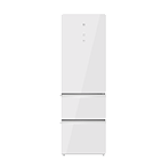
Холодильник 米家冰箱 意式400L 冰晶白
Информация о модели midjd8.fridge.400b
Параметры
| Альтернативные названия | 米家冰箱 意式400L 冰晶白 |
| Регион подключения | cn |
| ID устройства | midjd8.fridge.400b |
| Устройств в мире | 10774 |
| Дата выхода | 22.05.2023 |
| Приложение | Mi Home |
Совместимые озвучки
Для этой модели пока нет совместимых озвучек.
Совместимые прошивки

【Fix】Fix known issues for WiFi and improve system stability [Washer Dryer Firmware Update] 1. User experience optimizations; * This upgrade takes 3 to 10 minutes. * To avoid failures or errors, do not power off your device, disconnect the network connection, or unbind your device during the upgrade. * If the firmware upgrade fails, it will resume automatically if your device maintains connected to the network. Alternatively, you can restart the upgrade in plug-ins manually. The upgrade will complete in another 3 to 10 minutes.

【Fix】Fix known issues for WiFi and improve system stability [Washer Dryer Firmware Update] 1. User experience optimizations; * This upgrade takes 3 to 10 minutes. * To avoid failures or errors, do not power off your device, disconnect the network connection, or unbind your device during the upgrade. * If the firmware upgrade fails, it will resume automatically if your device maintains connected to the network. Alternatively, you can restart the upgrade in plug-ins manually. The upgrade will complete in another 3 to 10 minutes.

【Fix】Fix known issues for WiFi and improve system stability [Washer Dryer Firmware Update] 1. User experience optimizations; * This upgrade takes 3 to 10 minutes. * To avoid failures or errors, do not power off your device, disconnect the network connection, or unbind your device during the upgrade. * If the firmware upgrade fails, it will resume automatically if your device maintains connected to the network. Alternatively, you can restart the upgrade in plug-ins manually. The upgrade will complete in another 3 to 10 minutes.

【Fix】Fix known issues for WiFi and improve system stability [Washer Dryer Firmware Update] 1. User experience optimizations; * This upgrade takes 3 to 10 minutes. * To avoid failures or errors, do not power off your device, disconnect the network connection, or unbind your device during the upgrade. * If the firmware upgrade fails, it will resume automatically if your device maintains connected to the network. Alternatively, you can restart the upgrade in plug-ins manually. The upgrade will complete in another 3 to 10 minutes.


